Spreadsheets: Headers
Published on April 18, 2018.
During my undergraduate, I barely used any spreadsheet software. One of my friends told me that spreadsheet software helped to turn the personal computer popular and Wikipedia can confirm it:
VisiCalc was the first electronic spreadsheet on a microcomputer,[9] and it helped turn the Apple II computer into a popular and widely used system.
Why I didn’t used spreadsheet? That’s a good question. Probably because I was more interested in learn Python. In the last two years, I spent a lot of time with spreadsheet software in front of me and I collected a long list of things that I hated in Microsoft Office Excel, LibreOffice Calc and Google Sheet. This is the first post of a serie covering my list.
Style
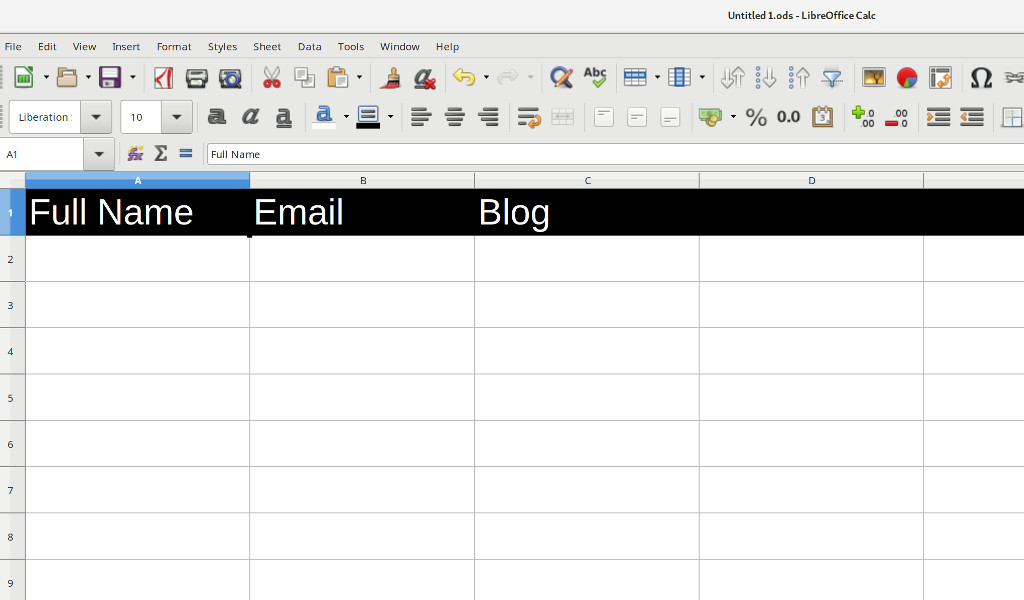
My line manager likes to have the column header, usually the first row in the spreadsheet, with a black background and font colour white. This is one of the first things that I have to do when I create a new spreadsheet and it involves 5 clicks:
- Select the first row.
- Open the backgound colour palette.
- Select black for the background.
- Open the font colour palette.
- Select white for the font colour.
Would be great to reduce this number of clicks to half. LibreOffice Calc has syles that can be used to reduce the number of clicks but Google Sheets doesn’t and most of the spreadsheet that I used end up as Google Sheets.
Name
Often I need to sort the spreadsheet
and the first row has the header so the first row should stay.
All spreadsheet software support treat the first row as the header
but they all have different behaviours on the sort window.
For example,
in LibreOffice Call,
if I select the complete spreadsheet using Ctrl+A
the name of the columns will not be used because some columns doesn’t have a name.
Formulas
Why I can’t use the name of the column in the formulas? After teaching so many Software Carpentry workshops and tell learners that they should write their code as
full_name = "{} {}".format(
    first_name,
    last_name
)
instead of
n = f + l
I’m very sad that all spreadsheet users, including myself, still need to use formulas like
=CONCAT(B2, " ", C2)
that doesn’t capture all the information required for future changes.
Suggestion
Why we can’t have the column header as an special entity?

Tags: